Etra’s Digital Service Channels
Speed up and simplify your daily life with our modern digital services. From our online store, mobile app, and integration solutions, you will find the most efficient tools for procurement management – whenever it suits you.
Start using digital services today!
Etra’s experts will help you choose the right channels and implement them as easily as possible. Contact us!

Transparency and Control
View prices, stock levels, and order tracking at a glance.

Efficiency
Less manual work, more time for your core activities.

Reliability
Reduced errors and faster information flow.

24/7 Availability
Order anytime, from anywhere.
Online Store – All Products with One Click
Etra’s online store is a powerful tool for placing orders and viewing product information. When you log in, you can see customer-specific prices and stock levels in real-time. You can create your own procurement lists or easily repeat previous purchases, which speeds up recurring acquisitions. Search functions and precise filters help you find the right product from our wide selection. You can pick up your order from the branch nearest to you or order directly to your desired delivery address.
The online store serves Etra’s business customers only.
Key Features of Our Online Store:
- Orders are processed at your chosen Etra location.
- Branch and central warehouse selections available for delivery by the next business day.
- Orders with no delivery charges when collected from your chosen branch nationwide.
- Customer-specific order history regardless of the purchase channel.
- Advanced search functions – utilization of customer-specific search criteria.
- Single Sign-On (SSO) login.
- Integrations with the customer’s procurement systems (Punchout solutions).
- Order approval process – define approval rights and manage procurements efficiently.
- Chemical portal – manage all your company’s chemicals in one place.
- Customer-specifically restricted product selection.
- Quotation functions – approval of quotes and requests for quotations.
- QR and barcode reading with mobile devices.


Punchout – Integrating the Online Store with the Customer’s System
Using Punchout technologies, we can integrate our online store directly with the customer’s procurement system. This allows products to be transferred directly to the customer's system, simplifying the creation of purchase orders and eliminating the need for duplicate work in creating a separate purchase order.
Punchout Technologies:
- OCI (Open Catalog Interface)
- cXML (Commerce Extensible Markup Language)
How Does Punchout Work?
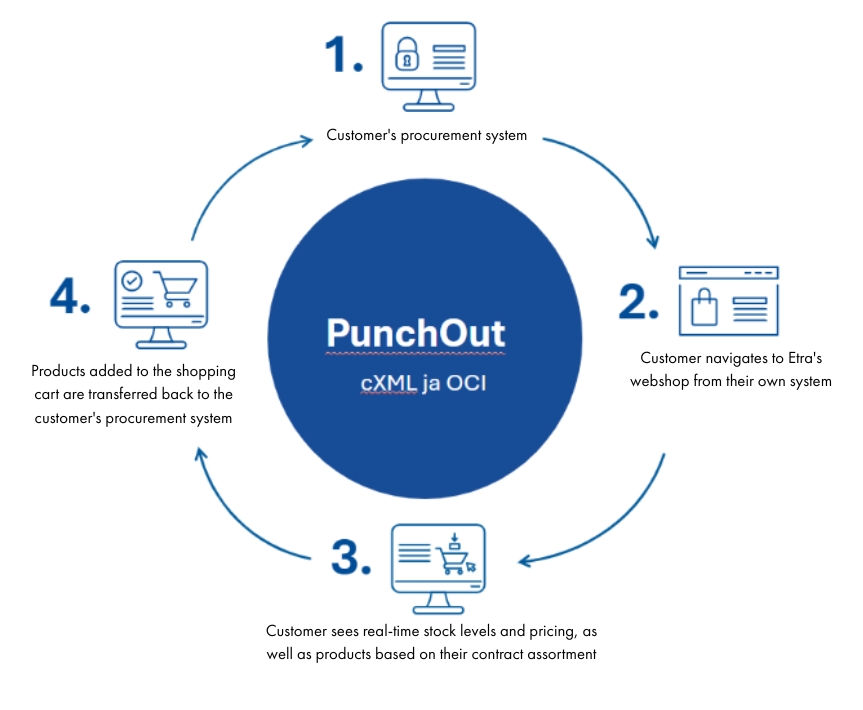
- The customer logs into the Etra online store from their own procurement system.
- They collect products into the shopping cart.
- They transfer the shopping cart content back to their own procurement system.
Transferable Product Data:
- During the setup of a Punchout connection, the product data transferred from Etra’s online store to the customer's system is defined on a customer-specific basis (e.g., product code, product name, unit, price).
- Through Punchout, it is also possible to transfer grouping or unit data already required by the customer.
Benefits of a Punchout Connection:
Purchase in a controlled manner from your own procurement system.
- All purchase orders can be made from a single purchasing system.
- Use your own procurement process, freeing up work time for your core activities.
- Real-time price and availability information for Etra products is visible through the Punchout connection, and the product range can be restricted according to the agreement.
EDI Connections – Efficiency for Recurring Procurements
EDI integration connects the customer’s procurement system and Etra’s system. The solution is particularly suitable for customers who have recurring orders and several different items at a time. A prerequisite is that product codes and units of measurement are consistent in both systems – this ensures error-free data transfer and a seamless process.
Benefits for the Customer:
- Faster ordering process – orders are transferred automatically from the customer's system to Etra’s system.
- Clear item data – the order contains unambiguous product information (code, name, unit, price).
- Immediate processing – the order is logged directly into Etra’s system without a manual phase.
- Order confirmations and packing slips – also available as EDI messages.
- Automatic receiving – the customer’s system can log the arrival directly from the packing slip message.
- Less errors and effort – ordering becomes significantly easier and more efficient.


Etra Mobile and Self-Stocking – Etra Always in Your Pocket
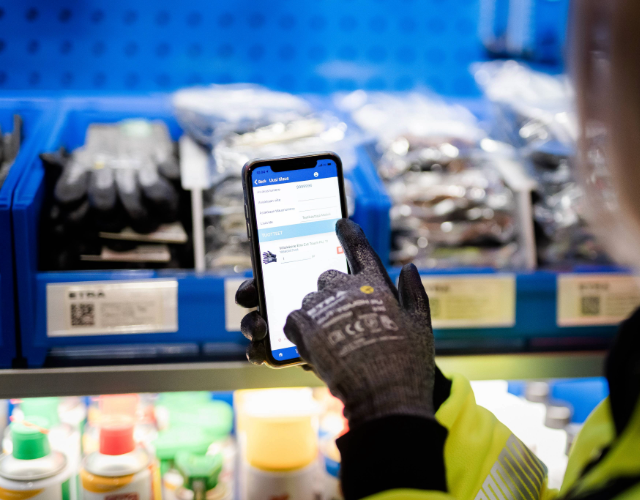
Working at a construction site or in a warehouse is smooth with our mobile application.
- Scan barcodes and order products quickly.
- Check prices, availability, and product information directly from your phone.
- Create orders on-site and send them forward with a few taps.
Download the application from Google Play and the App Store.